
The condominium management app in your pocket
Follow your building's charges, expenses, budget and claims from your Android smartphone, with full transparency.
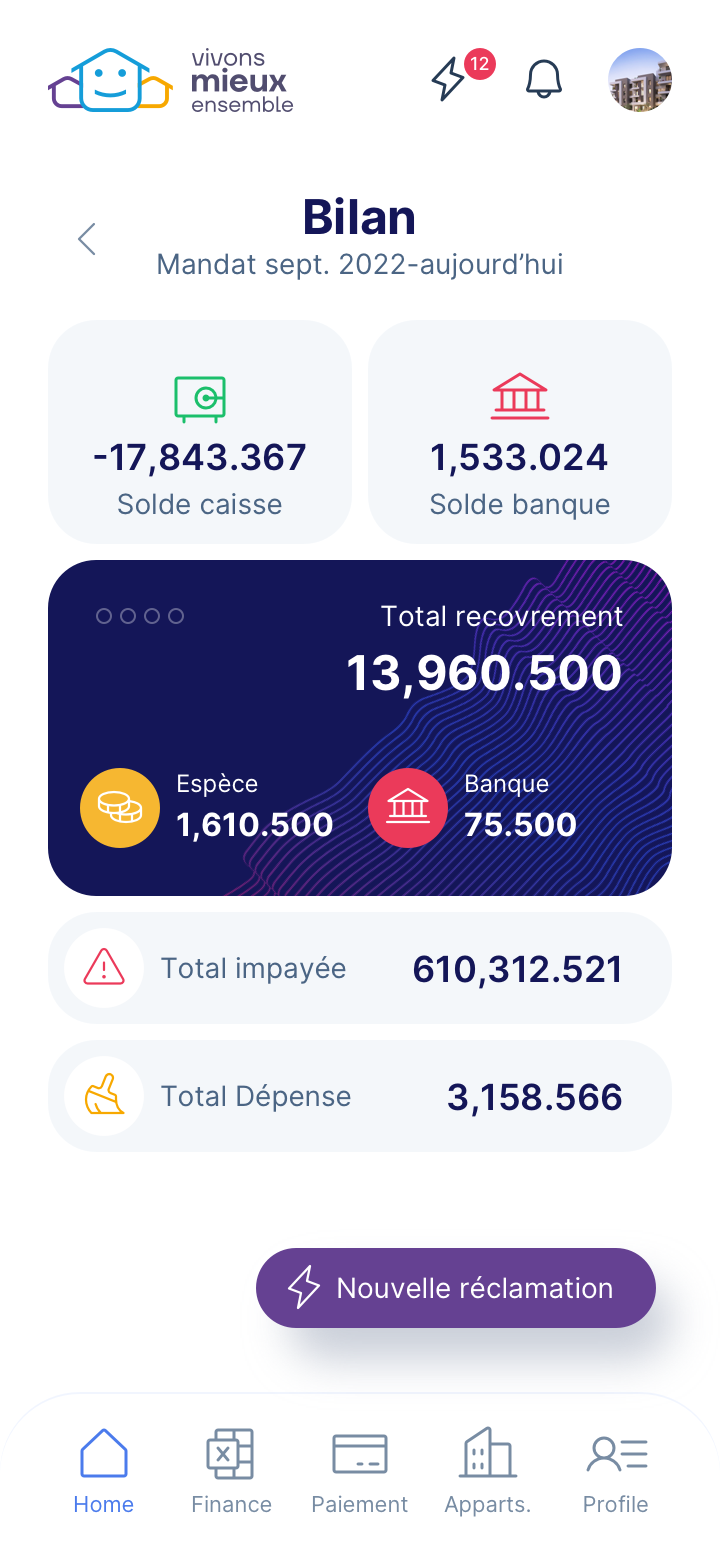
Everything to check on your smartphone
Full visibility over the financial and technical management of the building.
Collections and payments
See your charges, the amounts due, payments made and your full transaction history.
Expenses with invoices
Access the building's expenses together with scanned copies of the invoices.
Real-time budget
Compare the approved budget with actual spending, line by line, at any time.
Claims and follow-up
Report a problem from the app and follow it through to resolution.
Claims by QR code
Scan the QR code displayed in the building: the problem is reported in seconds, with no typing.
Secure private space
Each owner only accesses the data of their own unit.
How to get started
Three steps, no complicated sign-up.
- InstallDownload Syndic Digital on Google Play (Android 5.0 or later).
- Sign inUse the access codes provided by your building's syndic.
- CheckCharges, expenses, budget: everything is in your pocket. Report a problem by scanning the QR code.
Frequently asked questions
How do I download the app?
Search for “Syndic Digital” on Google Play. It is free and works on Android 5.0 and later. Your syndic gives you the access codes for your first sign-in.
Is the app available on iPhone?
Not yet: it is available on Android only. An iPhone version is not available at the moment.
How do I send a claim with the QR code?
Open the app, tap the camera icon, scan the QR code displayed in the common areas and describe the problem. The claim is passed on to the syndic and followed until it is resolved.
Is my data protected?
Yes. Each owner only accesses the data of their own unit.
In which countries is the app offered?
In the countries where Syndic Digital is open: France, Tunisia, Morocco, Mauritius, Belgium, Switzerland and Canada, as the service opens.